
Post Preview
Key Takeaways
- Office disposal plans should address paper files, hard drives, copiers, printers, and other data-bearing equipment.
- Recycling and secure destruction serve different purposes, especially when documents contain private information.
- Locked collection containers and a clear chain of custody can make routine disposal easier to manage.
- Employees need simple instructions for identifying confidential material and handling it correctly.
- Destruction records help businesses document what was disposed of, when it was disposed of, and who handled it.
Why Office Disposal Needs a Plan
Boston offices regularly manage contracts, employee records, invoices, customer correspondence, printed reports, and retired technology. When a business moves, renovates, clears storage, or simply catches up on overdue filing, those materials can quickly pile up. A written disposal plan helps turn an unpredictable cleanout into a normal business process.
For businesses seeking document shredding services Boston, MA, Bay State Shredding provides document and hard drive destruction options for organizations in Boston and throughout Massachusetts, with service coverage extending into Rhode Island, New Hampshire, and Maine. The company’s focus on secure collection, shredding, hard drive destruction, purge cleanouts, and recycling makes it a practical local resource for offices needing a structured way to dispose of sensitive material.
A sound plan answers basic questions before bins overflow or equipment leaves the building. It should state what must be retained, what may be recycled, what requires secure destruction, who is responsible for approval, and what proof the organization keeps after the work is complete.
What Files and Devices Create Risk
Confidential information is not limited to a human resources cabinet or finance department. It may appear in nearly every part of an office, including printed drafts left near a copier and notes from meetings that were never meant for public view.
Paper materials to review
- Customer applications, account records, and contact lists
- Employee files, payroll records, and benefit information
- Tax documents, invoices, banking details, and payment records
- Medical, insurance, legal, or property-management paperwork
- Contracts, proposals, internal reports, and printed emails
Electronic equipment to review
- Desktop and laptop hard drives
- External drives, USB devices, and backup media
- Copiers, printers, scanners, and multifunction devices
- Phones, tablets, servers, and other equipment with storage
Copiers and multifunction printers deserve special attention because many models can retain data from printing, scanning, copying, or faxing. Treating them as ordinary furniture at the end of a lease or replacement cycle can create an avoidable gap in the disposal process.
How to Sort Office Materials
The best sorting system is simple enough to use on a busy workday. Rather than asking every employee to make a difficult judgment call, create a few clear categories and label collection areas accordingly.
- Public, non-sensitive paper: Use ordinary recycling only when the material contains no personal, financial, medical, legal, or proprietary information.
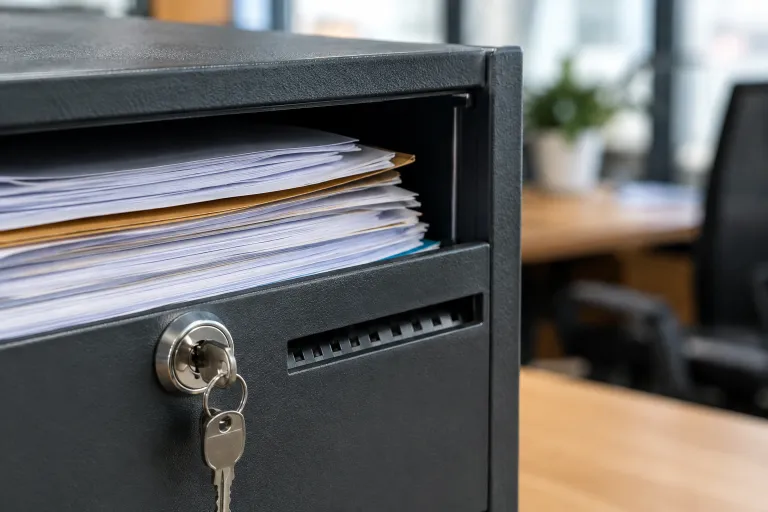
- Confidential paper: Place it in a locked security container or designated secure collection area until destruction.
- Electronic media: Hold devices in a controlled location until they are sanitized, reused, recycled, or physically destroyed through an approved process.
- Mixed cleanout materials: Separate sensitive records before sending furniture, supplies, or non-confidential paper into a standard disposal or recycling stream.
The Five-Step Disposal Process
- Identify the information. Flag materials containing personal data, account information, confidential business details, or records subject to retention rules.
- Confirm the retention period. Check internal policies and applicable requirements before destroying records that may still be needed.
- Use controlled storage. Keep items in locked containers or restricted areas while waiting for pickup or processing.
- Destroy or sanitize appropriately. Use a method that makes the information unreadable or inaccessible for the intended risk level.
- Document completion. Maintain a log, receipt, certificate, or service record that confirms the disposal event.
This process is useful for year-end records reviews, office relocations, mergers, staff departures, and seasonal cleanouts. It also helps managers find weak points, such as documents left beside a printer or retired laptops stored in an unlocked closet.
Paper Recycling and Secure Destruction
Recycling reduces waste, but an open recycling bin is not designed to protect confidential information before the paper reaches a processing facility. Sensitive records should be secured first, then shredded through an appropriate process before the resulting paper enters the recycling stream.
The FTC’s disposal guidance for consumer report information describes measures intended to prevent information from being read or reconstructed, including shredding paper records and destroying or erasing electronic media. Even when a particular record is not covered by that rule, the same mindset is useful for everyday office privacy practices.
Handling Hard Drives and Copiers
Deleting files or performing a quick reset may not meet every organization’s needs. Before equipment is sold, returned to a leasing company, recycled, donated, or discarded, identify whether it contains storage and whether confidential information may remain on it.
- Record the device type, asset tag, and serial number when available.
- Determine whether the equipment will be reused, returned, recycled, or destroyed.
- Assign responsibility to IT, operations, or another designated owner.
- Use a documented sanitization or physical destruction process suited to the device and sensitivity of the data.
The current NIST media sanitization guidance emphasizes building a program around information confidentiality and the intended disposition of the media. That is a useful reminder that hard drive disposal is a business process, not merely an e-waste task.
Records and Proof of Destruction
Documentation can be straightforward. A destruction log may include the service date, office location, material type, approximate quantity, device identifiers, responsible employee, and proof that the service occurred. For recurring pickups, retain records in one shared location so operations, IT, and compliance staff can find them when needed.
These records can support internal reviews and help an organization answer practical questions later. For example, they can show whether a department completed a scheduled cleanout or whether a retired device was included in a documented disposal event.
How to Train Employees
Employees are more likely to follow disposal procedures when instructions are brief, visible, and repeated. Include disposal expectations in onboarding, office move planning, records reviews, and periodic reminders near printers and secure containers.
Every employee should know three things: what information is confidential, where confidential material belongs, and whom to contact when they are unsure. A clear question is always better than an incorrect assumption.
Final Checklist
- Are retention periods clear for major record types?
- Do employees have access to secure disposal containers?
- Does the plan include paper, hard drives, copiers, printers, and backup media?
- Is responsibility assigned for office cleanouts and retired equipment?
- Are recycling and secure destruction handled as separate steps?
- Does the business keep reliable destruction records?
- Are employees reminded how to handle uncertain items?
Visit this website: A Clear Checklist for Family Law Decisions in Cherokee County, Georgia
A dependable office disposal plan helps Boston-area businesses reduce clutter without treating privacy as an afterthought. Clear categories, controlled handling, trained employees, and documented destruction can make secure disposal part of the normal rhythm of work.
