
Getting started with accepting card payments can feel overwhelming, especially for small businesses that want low upfront costs. A free credit card reader is often the first step entrepreneurs take when they want to begin processing payments without spending a large amount on equipment. Providers offer these readers as part of their payment processing services, making it easier for merchants to start accepting debit and credit cards right away.
The idea of getting the hardware for free sounds appealing, but it is important to understand what “free” truly means. While the device itself does not cost money, the company providing it earns through transaction fees on every payment processed. This article explains what these devices are, how they work, who offers them, and what businesses should consider before choosing one.
What is a Free Credit Card Reader?
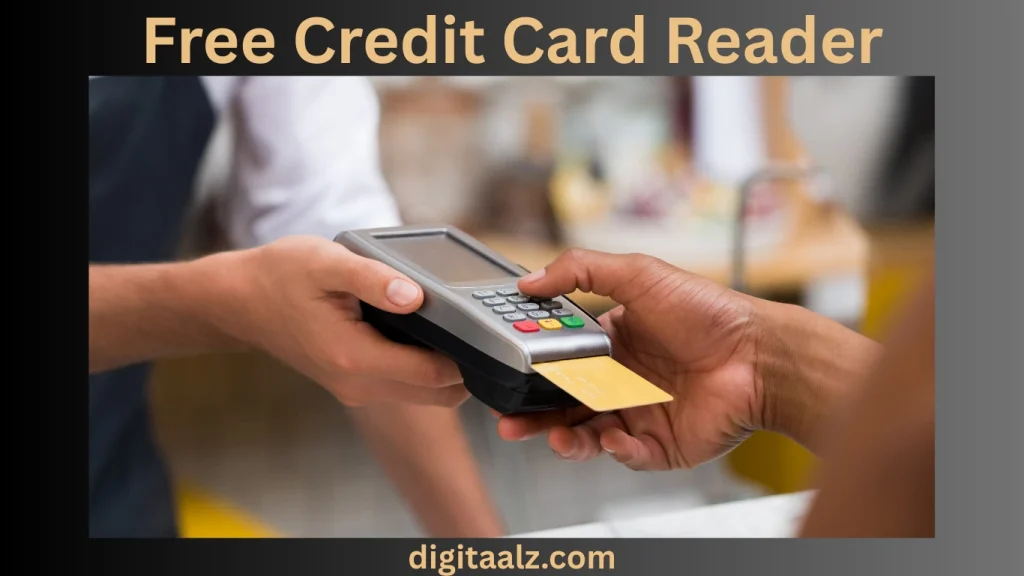
A free credit card reader is a small device that connects to your phone, tablet, or computer and allows you to accept payments. Businesses sign up with a payment processor, and as part of the deal, the provider sends the reader without charging any upfront fee.
The reader itself is usually a simple magstripe swiper, though many providers also sell upgraded models with chip and contactless technology. Even though the device is free, transaction fees are always involved when you process payments.
Why Businesses Look for Free Readers?
For many small businesses, freelancers, and independent sellers, a free option lowers the entry barrier to accepting digital payments. They want something easy to set up, quick to use, and affordable at the start.
Instead of paying hundreds of dollars for traditional POS systems, these readers offer a simple solution. Businesses can take payments at markets, events, or in-store without investing heavily. The real cost is in the processing fees, but the lack of upfront hardware expenses makes it attractive for startups.
Providers Offering Free Readers
Several companies are known for providing no-cost hardware when merchants create an account. Each provider comes with its own benefits and fee structures, making it important to compare before signing up.
Here is a comparison table with some of the top options:
| Provider | Reader Cost | Main Features | Transaction Fees | Best For |
| Square | Free magstripe | Works with mobile devices, simple setup | 2.6% + 10¢ per transaction | Small businesses and startups |
| PayPal Zettle | Sometimes free | Works with PayPal accounts, mobile use | 2.29% + 9¢ per transaction | Freelancers and PayPal sellers |
| SumUp | Discounted | Portable, simple app integration | 2.75% flat per transaction | On-the-go sellers |
| Vagaro | Free with plan | Suited for salons, spas, and appointments | Varies by service plan | Beauty and appointment businesses |
| Paysafe | Free reader | Multi-currency support, international reach | Custom rates | Global and travel-focused sellers |
How Do Free Credit Card Readers Work?
These readers connect directly to your phone through a headphone jack, USB-C port, or Bluetooth. Once linked, you can open the payment provider’s app and swipe, dip, or tap the customer’s card.
The transaction is then processed securely, with money deposited into your merchant account. Most providers deposit funds within one or two business days.
The app typically includes features like sales tracking, digital receipts, inventory management, and customer records. This makes the reader not just a payment device but part of a larger point-of-sale system.
Benefits of Using Free Readers
The biggest benefit is cost savings. Since there is no upfront hardware expense, new businesses can get started right away.
Another advantage is mobility. These readers are portable and can be carried anywhere, making them ideal for market stalls, mobile services, and pop-up shops. They also provide flexibility. Sellers can accept different payment types, track transactions, and gain insights into sales trends without complicated systems.
Limitations and Hidden Costs
While the device is free, processing fees are unavoidable. Over time, these costs can add up, especially for high-volume sellers.
Some readers only work with basic magstripe technology, which is less secure than chip or contactless payments. Upgrading to EMV or NFC-enabled readers often requires paying for hardware.
Providers may also lock you into their ecosystem. Once you sign up, it can be difficult to switch to another processor without additional fees.
Who Should Use a Free Credit Card Reader?
These devices are ideal for:
- Small business owners who are just starting out.
- Freelancers or contractors who need quick payment solutions.
- Event vendors or pop-up shops that operate in different locations.
- Service providers like tutors, hairdressers, and fitness trainers.
For larger businesses with steady traffic, a more advanced POS system may be necessary, but for those in early stages, these readers are practical.
Things to Consider Before Choosing
Before signing up for a provider, you should compare transaction fees, payout times, and device compatibility. If you expect high sales volume, the processing fees can become significant, so choosing the right provider is critical.
Also, think about your long-term needs. While a free reader works for short-term growth, upgrading to advanced devices with chip and tap features may be required. Consider whether the provider makes upgrades easy and affordable.
Security Features
Even basic readers today include encryption that protects cardholder data. Providers must comply with PCI standards, which ensures safe handling of card transactions.
However, magstripe-only readers are less secure compared to EMV chip or NFC readers. For businesses concerned about fraud, investing in advanced technology is often worth it despite the extra cost.
Digital Alternatives to Hardware
Some businesses choose not to use hardware at all. Instead, they rely on digital wallets and payment links. Services like Apple Pay, Google Pay, and PayPal allow customers to pay directly using phones.
For e-commerce or remote services, payment links sent via email or text can replace physical readers. While these methods do not require hardware, they still come with processing fees.
Industry Outlook for Card Readers
The demand for mobile readers has grown with the shift to cashless transactions. Contactless payments are especially popular, and providers are updating technology to match.
While the free models remain basic, most companies encourage businesses to upgrade to chip and tap-enabled devices. The trend shows that free options will continue to exist but mainly as entry-level tools.
Frequently Asked Questions
Do free readers really cost nothing?
Yes, the device itself is free, but every transaction has a fee. That is how providers make money.
Can I accept chip cards with a free device?
Most free devices only handle magstripe cards. For chip and contactless payments, an upgraded reader is usually required.
How long does it take to receive funds?
Providers like Square and PayPal deposit funds within one or two business days, though instant payout may be available for a fee.
Can I use the same reader with multiple devices?
Yes, most readers can connect to different phones or tablets as long as the provider’s app is installed.
Is it safe to use?
Yes, providers encrypt data and follow PCI compliance. However, chip or tap technology is safer than magstripe readers.
Conclusion
A free credit card reader is a smart way for small businesses and freelancers to begin accepting payments without upfront investment. While the device itself costs nothing, transaction fees are unavoidable and must be factored into long-term expenses.
For low-volume sellers, the benefits outweigh the limitations, and it serves as a convenient entry point into modern payment systems. However, as sales grow, upgrading to advanced devices with chip and contactless support becomes important for security and efficiency.
Ultimately, it is a great tool for those who want to test the waters of digital payments, but careful comparison of providers will ensure you choose the right fit for your business.
Also, Read Sephora Credit Card Visa: Is It Worth It?
